How to Verify ChatGPT Answers: 8 Checks + a Copy-Paste Fact-Check Prompt
ChatGPT can explain complex ideas, summarize documents, search the web, analyze data, and help you make decisions faster. But a confident-sounding answer is not automatically a correct answer.
OpenAI explicitly warns that ChatGPT can produce inaccurate or misleading information, including incorrect facts, invented citations, and overconfident answers. The solution is not to stop using AI. It is to learn how to verify ChatGPT answers before relying on them.
This guide gives you a practical verification workflow you can use for work, study, travel, purchases, research, and everyday decisions.
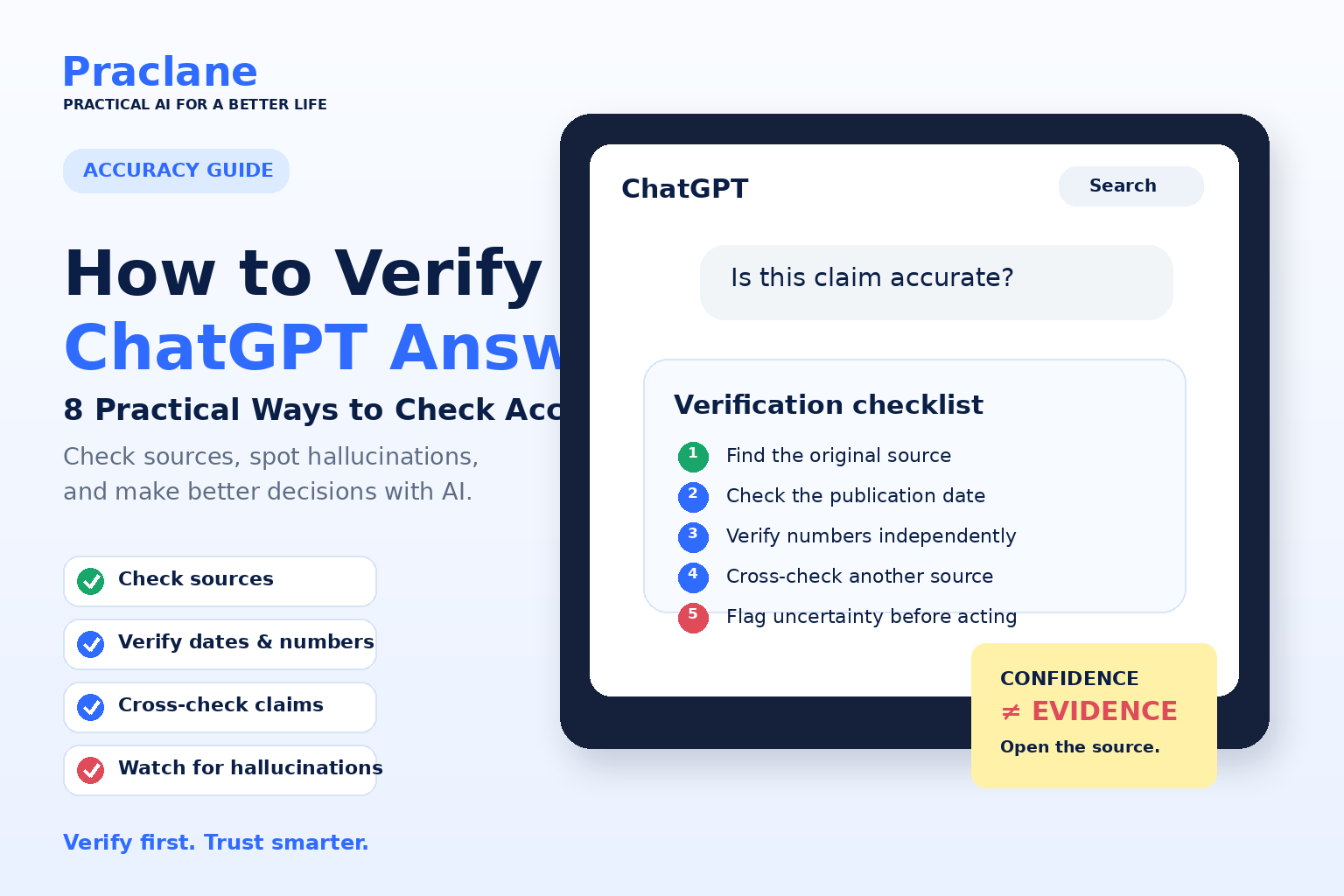
Quick Answer: How to Verify a ChatGPT Answer
- Identify the claims that would matter if they were wrong.
- Ask ChatGPT to search the web when the answer depends on current facts.
- Prefer official or primary sources.
- Open the cited pages and confirm they support the claim.
- Check dates, numbers, names, and version details separately.
- Cross-check important claims with an independent source.
- Separate confirmed facts from assumptions or interpretation.
- Do not act on high-stakes information until it is independently verified.
Copy-Paste ChatGPT Fact-Check Prompt
Verify the answer before I rely on it. Identify the factual claims that matter most. If current information is needed, search the web. Prefer official or primary sources and use independent reliable sources for cross-checking when practical. For each important claim, show the supporting source, publication or update date, and whether the source directly supports the claim. Recheck all dates, numbers, names, product features, prices, rules, and quotations. Separate confirmed facts from assumptions, inference, and unresolved uncertainty. If reliable sources disagree, explain the disagreement instead of forcing a single conclusion. Do not invent missing information. Finish with: Confirmed, Uncertain, and What I Should Verify Myself.
This prompt is designed for factual questions where accuracy matters more than speed. You can shorten it for casual questions or add stricter requirements for research, purchases, travel, work, or other decisions.
If you are new to ChatGPT, start with our ChatGPT beginner guide. For better initial responses, see how to write better ChatGPT prompts.
Why ChatGPT Answers Need Verification
ChatGPT is designed to generate useful language based on patterns, instructions, context, and available tools. It is not a database that simply retrieves a guaranteed-correct answer every time.
OpenAI’s guidance on answer accuracy notes that ChatGPT can produce incorrect definitions, dates, facts, quotations, research references, and sources. These errors are often called hallucinations.
The difficult part is that a wrong answer may still sound polished and certain. That is why tone should never be treated as evidence.
1. Identify Which Claims Actually Need Checking
You do not need to fact-check every sentence equally. Start by finding the claims where an error would matter.
- Dates, prices, statistics, measurements, and legal limits
- Names of people, organizations, laws, studies, or products
- Current policies, schedules, rules, or software features
- Medical, legal, financial, or safety-related statements
- Quotes and citations
- Claims that strongly influence a decision
For example, if ChatGPT helps rewrite an email, there may be little to verify. If it tells you the current baggage fee for an airline, the exact deadline in a tax rule, or the side effects of a medication, verification becomes much more important.
2. Ask ChatGPT to Show Its Sources
When a question depends on current or factual information, ask ChatGPT to search the web and provide sources.
Search the web for the current information. Use primary or official sources where possible, cite each important claim, and tell me when the evidence is uncertain.
ChatGPT can search the web and provide source links in supported experiences. But a citation is only the start of verification. You still need to open the source and confirm that it really supports the claim.
A useful rule is: never verify an AI answer only by asking the same AI to repeat it. Check the underlying evidence.
3. Prefer Primary Sources
When possible, verify important claims using the organization responsible for the information.
| Question | Best source to check first |
|---|---|
| Airline baggage rules | Official airline website |
| Visa requirements | Government or embassy website |
| Software feature | Official product documentation |
| Company earnings | Investor relations or regulatory filing |
| Medical guidance | Government health agency, recognized medical institution, or clinician |
| Law or regulation | Official government or legal text |
Secondary sources can be useful for explanation and comparison, but primary sources are usually better when you need the exact rule, number, date, or wording.
4. Check Whether the Information Is Current
Many AI mistakes are not completely false; they are simply outdated.
Before using an answer, ask:
- When was the source published or updated?
- Has the rule or product changed since then?
- Is the answer describing the current version?
- Does the date match the period I asked about?
Verify this using sources updated within the last 30 days. If an official source is older but still authoritative, include it and explain why it is still relevant.
This is especially important for AI products, travel, prices, laws, sports, news, software, and subscription plans.
5. Verify Numbers Separately
Numbers deserve extra attention because a response can sound correct even when one value is wrong.
If an answer includes calculations, percentages, currency conversions, totals, or statistics, verify the inputs first and then check the arithmetic.
List every number used in your calculation, show the formula step by step, and separate sourced values from values you calculated yourself.
For business, tax, finance, engineering, or other high-impact calculations, independently confirm the result with a spreadsheet, calculator, official table, or qualified professional.
6. Cross-Check With a Second Independent Source
One source may contain an error, be outdated, or describe an exception rather than the general rule. For important claims, compare at least two independent reliable sources.
Good cross-checking is not about finding two websites that copy the same article. Look for independent evidence.
Find two independent reliable sources for this claim. Show where they agree, where they differ, and which source is more authoritative.
If reliable sources disagree, do not force a simple answer. Treat the disagreement itself as useful information.
7. Watch for Common Hallucination Warning Signs
Certain patterns should make you slow down and verify more carefully.
- A precise quote without a link to the original source
- A study title, DOI, court case, or book that is difficult to find
- Extremely specific numbers with no citation
- A confident answer to an ambiguous question
- A source whose title does not match its page
- A claim about a very recent event without recent evidence
- Different answers when you repeat the same factual question
None of these automatically means the answer is false, but they are good reasons to investigate.
8. Ask ChatGPT to Challenge Its Own Answer
Self-critique does not replace external verification, but it can reveal assumptions and weak points you might otherwise miss.
Review your previous answer as a skeptical fact-checker. Identify the five claims most likely to be wrong or outdated, explain why, and tell me exactly how to verify each one.
You can also ask:
What assumptions did you make? What information is missing? Which parts of this answer should not be trusted without external confirmation?
This helps turn ChatGPT from an answer generator into a verification assistant.
A Simple 5-Step ChatGPT Verification Workflow
For everyday use, you can reduce the entire process to five steps:
- Mark the risky claims. Identify the facts that could cause a problem if wrong.
- Ask for sources. Prefer official or primary sources.
- Open the sources. Confirm they actually support the answer.
- Check dates and numbers. Make sure the information is current and calculations are correct.
- Cross-check important claims. Use another independent reliable source before acting.
You do not need this full process for every casual question. Match the amount of verification to the consequences of being wrong.
Example: Verifying a Travel Answer
Imagine you ask ChatGPT:
Can I take a 10 kg cabin bag on Airline X from Seoul to Madrid?
Instead of immediately trusting the answer, use this follow-up:
Search Airline X’s official website for the current cabin baggage rules for this route. Give me the size limit, weight limit, fare restrictions, and the date or page where you found each rule. Link the official source.
Then open the airline page yourself and confirm the fare type and route-specific details. The extra minute can prevent a fee or denied bag at the airport.
Example: Verifying a Work or Research Answer
Suppose ChatGPT tells you that a particular study proved a productivity increase of 37%.
Do not copy the number into a report yet. Ask for the original paper, authors, publication date, sample size, methodology, and the exact part of the study that supports the 37% figure.
If the study cannot be found, the source does not contain the number, or the result applies only to a narrow experiment, rewrite the claim before using it.
When You Should Verify Especially Carefully
Verification matters most when the cost of an error is high. Be especially cautious with:
- Medical symptoms, treatments, medication, or dosage
- Legal rights, contracts, immigration, or deadlines
- Taxes, investing, loans, insurance, or major purchases
- Workplace safety and technical procedures
- Academic citations and research claims
- News and rapidly changing events
- Information you plan to publish publicly
In these situations, ChatGPT can help you understand information and prepare questions, but it should not be the final authority.
Privacy Is Part of Verification Too
Reliable AI use is not only about factual accuracy. It also means thinking about what information you share.
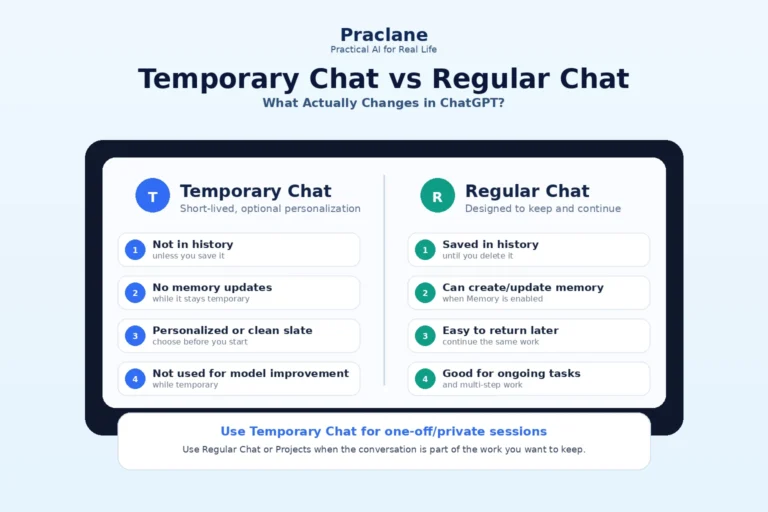
OpenAI provides Data Controls that let signed-in users choose whether conversations can be used to improve models. Temporary Chat offers a separate mode for conversations you do not want saved in history or used for model training, subject to OpenAI’s stated retention and safety policies.
Regardless of settings, avoid pasting passwords, authentication codes, full payment-card details, or confidential information that is unnecessary for the task.
Frequently Asked Questions
What prompt can I use to verify a ChatGPT answer?
Ask ChatGPT to identify the most important factual claims, search for current evidence when needed, prefer primary sources, cross-check key claims, recheck numbers and dates, and clearly label anything that remains uncertain. The copy-paste fact-check prompt near the top of this guide combines those instructions in one reusable template.
Can ChatGPT tell when its answer is wrong?
Sometimes it can identify uncertainty or correct itself when challenged, but not reliably enough to replace external verification. A second confident answer is still not evidence.
Are ChatGPT citations always accurate?
No. When citations are provided, open them and confirm that the page exists, is authoritative, is current, and actually supports the claim.
Should I use ChatGPT for research?
Yes, it can be useful for discovering questions, organizing research, explaining sources, and finding leads. For important work, verify claims in the original material before citing them.
Does web search make ChatGPT always correct?
No. Web search improves access to current evidence, but sources can still be misunderstood, outdated, incomplete, or low quality. The same verification principles still apply.
For a document-specific example of verification changing the result, see our PDF summary vs extraction vs verification comparison.
If you want these verification rules built into the prompt before ChatGPT answers, use our Universal ChatGPT Prompt Template for accurate, search-backed answers.
Final Thoughts
ChatGPT is most useful when you treat it as a fast assistant rather than an unquestionable authority.
The key habit is simple: the more important the decision, the stronger the verification. Ask for sources, open them, check dates and numbers, compare independent evidence, and verify high-stakes information with qualified professionals when necessary.
Once this becomes a habit, you can use ChatGPT quickly without confusing speed with certainty. For more ideas, see 10 practical things you can do with ChatGPT and our ChatGPT Free vs Plus comparison.