
How to Write Better ChatGPT Prompts: A Practical Guide for Beginners
A good ChatGPT prompt does not need to be long, technical, or filled with special commands.
If you want to learn how to write better ChatGPT prompts, the most useful skill is learning how to make your goal clear enough that ChatGPT does not have to guess what you mean.
In this guide, you will learn a simple prompt structure, see a real vague-versus-specific example, and learn how to improve weak answers without starting over.
If you are completely new to ChatGPT, start with our beginner’s guide to using ChatGPT first.
What Makes a Good ChatGPT Prompt?
A prompt is the instruction or input you give ChatGPT. It can be a question, a request, text to rewrite, a file, an image, or several of those things together.
OpenAI’s current prompting guidance emphasizes three ideas that matter for everyday ChatGPT use: be clear and specific, provide enough context, and refine your request based on the response you receive. OpenAI’s prompt engineering best practices also recommend iterative refinement rather than expecting every first prompt to be perfect.
That means a good prompt usually answers a few basic questions:
- What do you want ChatGPT to do?
- What context does it need?
- Who is the answer for?
- What should the result look or sound like?
- Are there any limits or requirements?
You do not need all five pieces every time. The goal is not to make every prompt longer. The goal is to remove uncertainty that matters to the task.
A Real Example: Vague Prompt vs. Specific Prompt
Consider a very simple request:
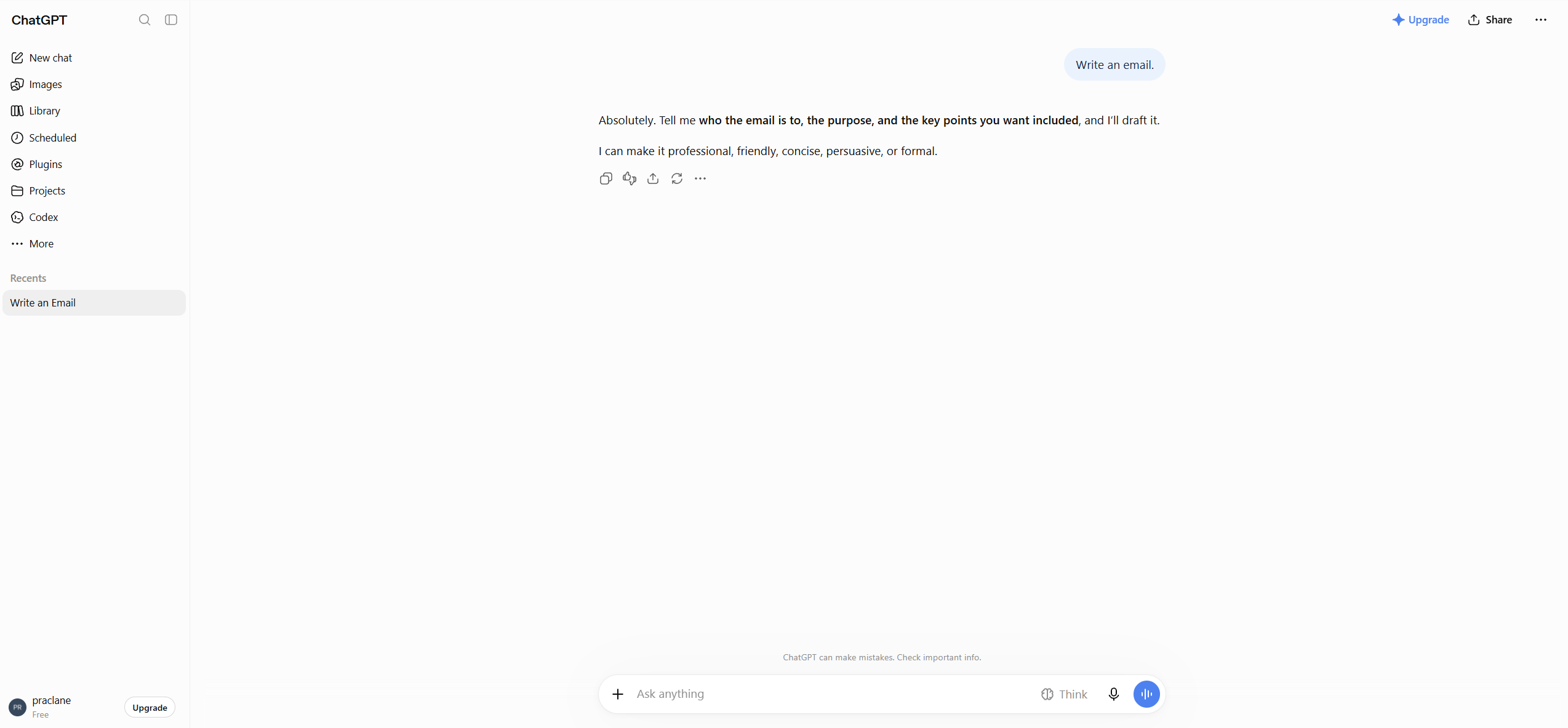
Write an email.
The request is not wrong. It is simply missing the information needed to produce a useful email immediately.
Now compare it with this:
Write a short professional email to my manager explaining that I will be 30 minutes late because of a train delay. Keep it polite and under 100 words.
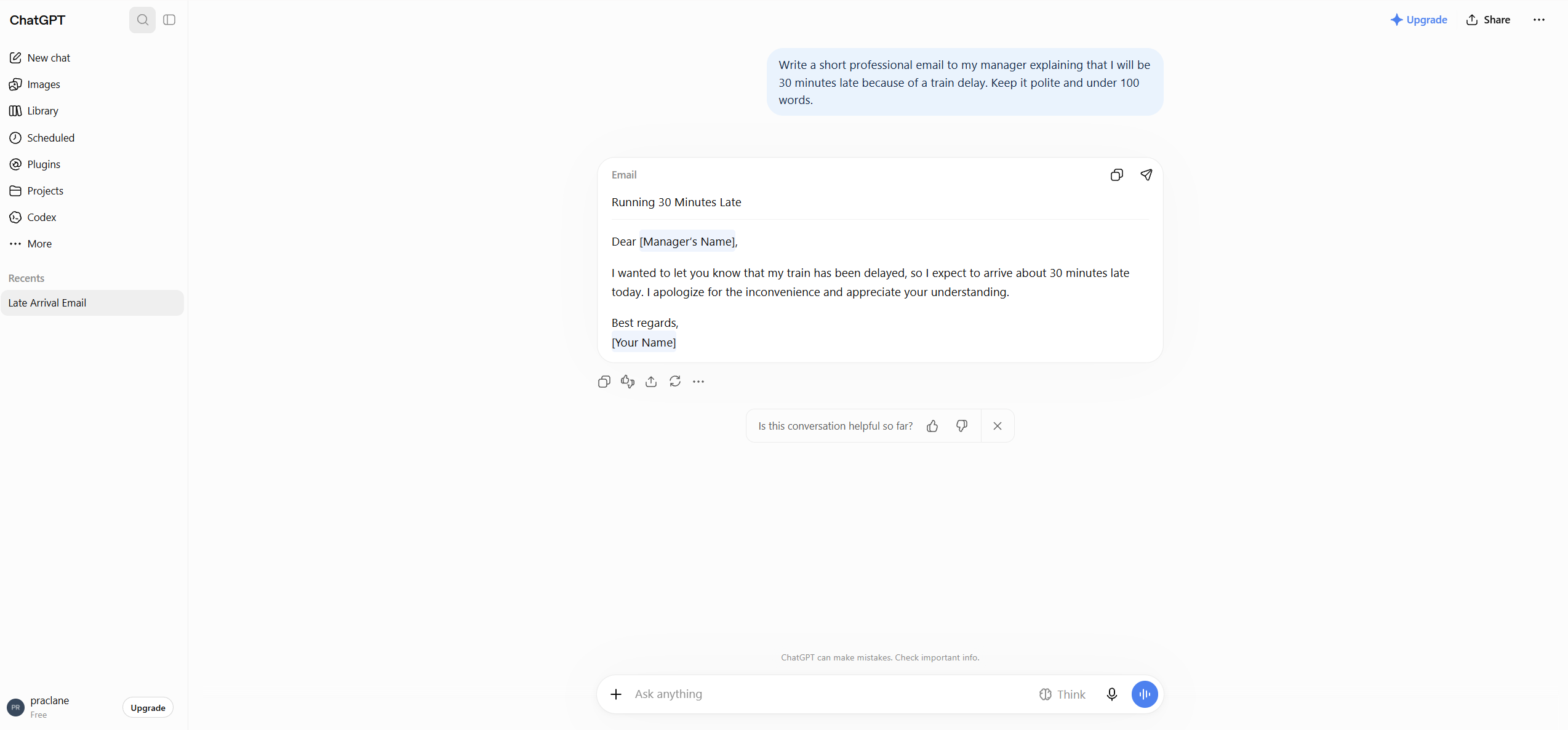
The second prompt tells ChatGPT almost everything it needs to know:
- Task: write an email
- Audience: a manager
- Situation: a train delay
- Key fact: 30 minutes late
- Tone: professional and polite
- Length: under 100 words
This is the core principle behind better prompting: give ChatGPT the information that would also help a person complete the task correctly.
How to Write Better ChatGPT Prompts: A Simple Formula
For most everyday tasks, you can use this simple structure:
Task + Context + Requirements + Output Format
1. Task: Say What You Want Done
Start with the action.
- Explain this concept.
- Rewrite this message.
- Compare these options.
- Create a study plan.
- Summarize this document.
Clear verbs reduce ambiguity and tell ChatGPT what kind of work you expect.
2. Context: Give the Information That Changes the Answer
Context is often what separates a generic answer from a useful one.
Instead of:
Create a study plan.
Try:
Create a four-week study plan for a beginner learning Spanish. I can study 30 minutes on weekdays and one hour on weekends.
The second version gives ChatGPT the skill level, goal, available time, and schedule.
3. Requirements: Define What Matters
Add requirements only when they affect the result.
- Keep it under 200 words.
- Use simple language.
- Do not use technical jargon.
- Focus on low-cost options.
- Use information from the attached document only.
Constraints are useful because they reduce the number of assumptions ChatGPT has to make.
4. Output Format: Tell ChatGPT How to Present the Answer
If presentation matters, say so.
- Put the comparison in a table.
- Give me a numbered checklist.
- Provide three options.
- Start with a short summary.
- End with five quiz questions.
This is particularly helpful for work, study, research, and planning tasks where the answer needs to be easy to use rather than simply informative.
You Do Not Need to Write a Perfect First Prompt
One of the biggest misconceptions about prompting is that there is a single perfect sentence you need to discover before asking a question.
In practice, prompting works better as a conversation.
OpenAI explicitly recommends iterative refinement: start with a request, review the response, then add context, change wording, or clarify the outcome as needed. OpenAI’s guide to creating good prompts similarly recommends clear requests, appropriate detail, and follow-up prompts for complex tasks.
For example, you might start with:
Explain inflation.
Then continue with:
- Explain it using a simple everyday example.
- Now explain how interest rates can affect inflation.
- Give me a five-question quiz to test whether I understood it.
Each follow-up uses the existing conversation instead of forcing you to rewrite everything from scratch.
Seven Practical Ways to Improve a Weak Prompt
1. Specify the Audience
The same topic should be explained differently to a child, a customer, a manager, or an expert.
Explain cloud computing to a small business owner who has no technical background.
2. Specify the Tone
OpenAI’s prompting guidance specifically notes that descriptive tone instructions such as professional, friendly, formal, or humorous can help guide the response.
Rewrite this customer reply in a calm, professional, and empathetic tone.
3. Set a Useful Length
If you need something concise, say so. If you need depth, ask for it.
Explain this in about 150 words, then give me three key takeaways.
4. Ask for a Specific Structure
Compare these options in a table with columns for cost, difficulty, advantages, disadvantages, and who each option is best for.
5. Break Large Tasks Into Smaller Steps
Complex requests can become easier to control when you divide them into stages.
Instead of asking ChatGPT to research a topic, write a report, edit it, create a presentation, and summarize everything in one message, try:
- Identify the important questions.
- Research or organize the information.
- Create an outline.
- Draft one section at a time.
- Review and improve the finished work.
This also makes it easier to catch mistakes before they spread through the rest of the task.
6. Provide an Example When the Format Is Unusual
If you need a particular style or output structure, an example can be clearer than a long explanation.
Rewrite the following product descriptions using this format: Product name — one-sentence benefit — who it is best for.
7. Ask ChatGPT to Clarify Missing Information
When the task depends on information you have not provided yet, you can tell ChatGPT not to guess.
Before giving me a recommendation, ask me any questions you need to understand my situation.
This is especially useful for planning, troubleshooting, comparing products, or making recommendations.
Common Prompting Mistakes
Being Too Vague
“Help me with work” leaves almost everything undefined. Explain what you are doing and what result you need.
Adding Unnecessary Complexity
A longer prompt is not automatically a better prompt. Details that do not affect the answer can make your instruction harder to read and maintain.
Giving Conflicting Instructions
For example, asking for a “detailed explanation” that is also “under 50 words” may force ChatGPT to choose between two competing goals.
Expecting the First Answer to Be Final
Even a well-written prompt can produce an answer you want to adjust. Tell ChatGPT what needs to change rather than abandoning the conversation.
Assuming a Detailed Answer Must Be Correct
Prompt quality can improve relevance and presentation, but it does not guarantee factual accuracy. Important claims should still be verified using reliable sources.
Five Better ChatGPT Prompt Examples
Writing
Rewrite the message below for a customer. Keep my original meaning, make the tone professional but friendly, and keep the final version under 150 words. [Paste message]
Learning
Teach me the basics of personal budgeting as a complete beginner. Explain one concept at a time, use simple examples, and ask me one short question after each section to check my understanding.
Work
Turn the meeting notes below into an action list. Create a table with Task, Owner, Deadline, and Priority. If a deadline or owner is missing, mark it as “Not specified” instead of guessing. [Paste notes]
Planning
Create a realistic four-week exercise plan for someone who has not exercised regularly for a year. The goal is general fitness, not weight loss. I have 30 minutes available four days per week and no gym equipment.
Decision-Making
Compare Option A and Option B for my situation. First ask me up to five questions about my budget, priorities, and constraints. Then give me a comparison table and explain the trade-offs without making the final decision for me.
A Reusable Prompt Template
You can adapt this basic template to many everyday tasks:
Task: [What you want ChatGPT to do]
Context: [Information ChatGPT needs to understand the situation]
Requirements: [Tone, limits, priorities, things to include or avoid]
Output: [How you want the answer presented]
For example:
Task: Create a weekly meal plan.
Context: I cook for two people and have about 30 minutes per dinner.
Requirements: Keep the meals simple, use common supermarket ingredients, and avoid shellfish.
Output: Give me a seven-day table with the meal, main ingredients, and estimated preparation time.
Do not treat the template as a rule. For simple questions, a simple prompt is usually enough. Use more structure only when the task needs it.
Frequently Asked Questions
Do Longer Prompts Always Give Better Answers?
No. Relevant detail is useful; unnecessary detail is not. A short, specific prompt can be better than a long prompt filled with information that does not affect the task.
Do I Need to Learn Prompt Engineering?
You do not need advanced prompt engineering for most everyday ChatGPT tasks. Clear goals, useful context, sensible constraints, and follow-up questions will handle a large percentage of normal use cases.
Should I Use the Same Prompt Every Time?
Reusable templates can save time, but prompts should still be adjusted to the actual task. Change the context, audience, requirements, and output format when those details change.
What Should I Do If ChatGPT Misunderstands My Prompt?
Tell it exactly what was misunderstood. Add the missing context, remove ambiguous wording, or give an example of the result you wanted. You usually do not need to start a new chat.
Final Thoughts
Better prompting is not about memorizing secret phrases.
It is about communicating your goal clearly enough that ChatGPT can understand the task, the context, and the kind of result you need.
Start simple. Add detail when it matters. Ask for the format you need. Then refine the answer through follow-up questions.
That approach is easier to remember than a long list of prompt tricks, and it works across writing, learning, work, planning, and many everyday tasks.
Explore more ready-to-use examples in our Prompts section.