What Is ChatGPT and How Does It Work? A Beginner’s Guide
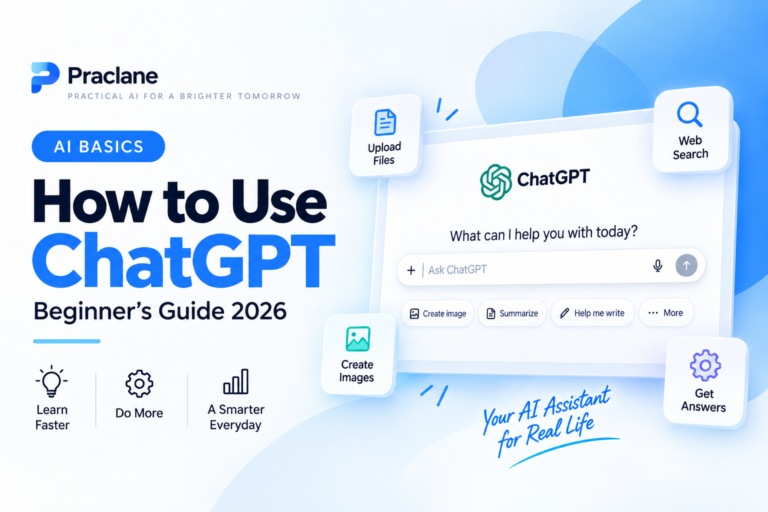
ChatGPT can write emails, explain difficult topics, summarize documents, analyze images, search the web, help with coding, and much more. But what exactly is ChatGPT, and how does it work?
This beginner-friendly guide explains the basics without technical jargon. You will learn what ChatGPT is, how it generates answers, what it can and cannot do, and how to use it more effectively.
If you want hands-on instructions after reading this overview, see our step-by-step guide to using ChatGPT for beginners.
What Is ChatGPT?
ChatGPT is an AI assistant developed by OpenAI that can understand natural-language instructions and generate responses in a conversational format.
OpenAI describes ChatGPT as an assistant that can help with everyday tasks such as brainstorming, writing, studying, planning, coding, math, and analyzing files or images. You interact with it by typing or speaking in ordinary language rather than using special computer commands.
That conversational design is important. Instead of treating every question as a completely separate search, ChatGPT can use earlier messages in a conversation as context for follow-up questions.
Explain compound interest in simple terms.
Then you can continue with:
Now give me an example using $5,000 and a 5% annual return.
ChatGPT can usually understand that the second request refers to the topic already being discussed. OpenAI’s current Getting Started with ChatGPT guide describes ChatGPT as a conversational AI assistant built to help people think, write, and solve problems.
How Does ChatGPT Work?
At a high level, ChatGPT is built on large language models, often shortened to LLMs.
These models are trained on large amounts of information so they can learn patterns in language and other data. During training, the model learns relationships between words, phrases, ideas, and context.
When you send a prompt, ChatGPT does not simply search a giant database for a prewritten answer. Instead, the model processes your input and generates a response step by step by predicting what content is likely to come next based on the patterns it learned during training and the context of your conversation.
OpenAI explains this process in more detail in its guide to how ChatGPT and foundation models are developed.
A Simple Way to Think About It
Imagine that you have read an enormous amount of writing and learned how ideas are commonly connected. Someone begins a sentence, and you become very good at predicting what would logically come next.
An AI language model works on a much larger and more mathematical scale. It uses learned patterns to generate a useful response to your prompt. This is one reason ChatGPT can create new sentences instead of only returning exact text it has seen before.
What Happens When You Send a Prompt?
- You provide an instruction. This can be a question, request, document, image, or other supported input.
- ChatGPT interprets the context. It considers your current prompt and relevant information from the conversation.
- The model generates a response. It produces the answer step by step based on learned patterns and instructions.
- Tools may be used when needed. Depending on the task and available features, ChatGPT can use tools such as web search or file analysis.
- You can refine the result. Follow-up prompts let you change the tone, add detail, correct assumptions, or request a different format.
This last step is one of the most useful parts of ChatGPT. You do not need to get everything perfect in your first message. If you want to improve the quality of your instructions, read our guide on how to write better ChatGPT prompts.
What Can ChatGPT Do?
ChatGPT has grown beyond simple text conversation. The exact tools available can depend on your plan, account, device, and settings, but common capabilities include the following.
Answer Questions and Explain Concepts
You can ask ChatGPT to explain a topic at different levels of difficulty, compare concepts, provide examples, or quiz you afterward.
Write, Rewrite, and Summarize
It can help draft emails, reports, outlines, social posts, notes, and other text. It can also rewrite your existing text to make it clearer, shorter, more professional, or easier to understand.
Work With Files and Images
ChatGPT can work with supported documents, spreadsheets, presentations, screenshots, charts, and images. For example, you might upload a PDF and ask for a summary, or share a screenshot and ask what an error message means.
Search the Web
For questions that need current information, ChatGPT can search the web and provide links or citations to relevant sources. OpenAI notes that web search is available across its main ChatGPT plans, although usage limits and some features vary. See OpenAI’s guide to searching the web with ChatGPT for current details.
Help With Reasoning, Coding, and Data
ChatGPT can help organize problems, explain code, troubleshoot errors, generate formulas, and analyze structured information. The best results usually come when you provide the necessary context and verify important outputs. OpenAI maintains a broader ChatGPT capabilities overview that reflects current features.
Is ChatGPT the Same as a Search Engine?
No. ChatGPT and traditional search engines can overlap, but they work differently.
| ChatGPT | Traditional Search Engine |
|---|---|
| Generates a conversational answer | Returns a list of web results |
| Can follow your instructions and format the result | Primarily helps you find existing pages |
| Can use conversation context | Usually treats searches more independently |
| May use web search when current information is needed | Search is the core function |
| Can summarize, rewrite, analyze, and create content | Usually directs you to sources that contain the information |
For many tasks, the best approach is not choosing one or the other. You can use ChatGPT to organize or explain information and then verify important facts using reliable sources.
Does ChatGPT Understand Things Like a Human?
ChatGPT can produce responses that sound natural and thoughtful, but that does not mean it understands the world in exactly the same way a human does.
The model works by processing patterns and context. It can perform sophisticated reasoning tasks, but it can still misunderstand your intent, miss important information, or generate an answer that sounds confident even when it is wrong.
This is why it is better to think of ChatGPT as a powerful assistant rather than an unquestionable source of truth.
Can ChatGPT Be Wrong?
Yes. ChatGPT can make mistakes. An incorrect AI-generated statement is sometimes called a hallucination. The answer may look convincing even when a name, number, quotation, source, or explanation is inaccurate.
You should be especially careful when using AI for medical or health decisions, legal questions, financial decisions, current news, precise statistics, dates, citations, or important work where an error could have serious consequences.
For important claims, ask ChatGPT to search for current sources when appropriate and open those sources yourself to confirm that they actually support the answer.
Does ChatGPT Know Everything on the Internet?
No. Training a language model is different from giving it perfect access to every webpage, book, database, or private document.
ChatGPT may also need to use web search for current information. Even when search is used, the available results can still be incomplete or inaccurate, so source checking remains important.
It also cannot automatically know information that exists only in your private files, accounts, workplace systems, or personal life unless you provide that information or use an authorized feature that gives it access.
What Is a Prompt?
A prompt is simply the instruction or information you give ChatGPT.
What is photosynthesis?
Or you can add more useful context:
Explain photosynthesis to a 12-year-old using a simple analogy, then give me three quiz questions.
The second prompt gives ChatGPT more information about the audience, style, and desired output, which usually makes the result more useful.
How Should a Beginner Start Using ChatGPT?
- Choose one simple task. Ask for an explanation, draft, summary, plan, or comparison.
- Write normally. Explain what you want in the same way you would explain it to another person.
- Add useful context. Include the audience, goal, limits, or background when they matter.
- Review the answer. Check whether it actually solves your problem.
- Use follow-up prompts. Ask for changes instead of starting over every time.
- Verify important facts. Treat AI output as something to review, not something to accept automatically.
Simple ChatGPT Examples for Beginners
For Work
Rewrite this email so it sounds professional and friendly. Keep it under 150 words: [paste your draft]
For Learning
Explain this topic to a beginner. Use one real-world example and finish with five review questions: [topic]
For Planning
Create a realistic seven-day plan for this goal. I have 30 minutes per day: [goal]
For Comparing Options
Compare these three options in a table. Include advantages, disadvantages, cost, difficulty, and who each option is best for: [options]
Frequently Asked Questions
Is ChatGPT free?
ChatGPT has a free option as well as paid plans. Features and usage limits can change over time, so check OpenAI’s current plan information if a specific feature matters to you.
Do I need to know how to code?
No. Most people use ChatGPT by writing normal sentences. Coding knowledge is only necessary when the task itself involves programming.
Does ChatGPT remember everything I tell it?
ChatGPT can use context from the current conversation. Other memory or personalization behavior depends on the features and settings available to your account, so you should not assume that every detail will always be remembered. For the current controls and practical limits, see our ChatGPT Memory in 2026 guide.
Should I put passwords or sensitive information into ChatGPT?
As a general rule, avoid pasting passwords, authentication codes, financial credentials, or other secrets into an AI chat. Only provide information that is appropriate for the task and that you are comfortable sharing under the service’s current privacy settings and policies.
Final Thoughts
ChatGPT is best understood as a conversational AI assistant built on large language models. It generates responses from learned patterns, can use tools for tasks such as web search and file analysis, and allows you to improve results through follow-up conversation.
The most important beginner lesson is simple: ChatGPT is powerful, but it is not automatically correct. Give it clear instructions, review its answers, and verify important information.
Next, learn the practical side with our ChatGPT beginner step-by-step guide, or improve your results with our guide to writing better ChatGPT prompts.