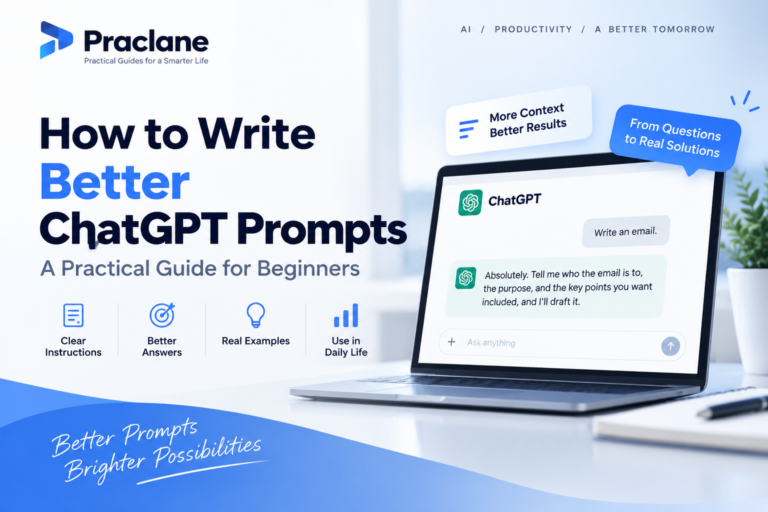
ChatGPT Email Prompt Template: Write Better Replies, Follow-Ups, and Difficult Messages

“Write an email” is one of the most common ChatGPT requests—and one of the easiest ways to get a generic result.
A better email prompt defines the recipient, purpose, context, tone, must-include facts, boundaries, and desired call to action. This ChatGPT email prompt template gives you one reusable structure for replies, follow-ups, requests, declines, complaints, and sensitive messages.
Copy-Paste ChatGPT Email Prompt Template
EMAIL GOAL
Write an email to: [RECIPIENT / ROLE].
The purpose is: [WHAT I NEED TO ACHIEVE].
CONTEXT
Relevant background: [PASTE THE SITUATION, PRIOR EMAIL, DEADLINE, OR AGREEMENT].
Relationship with recipient: [CLIENT / MANAGER / COWORKER / VENDOR / FRIEND / OTHER].
TONE
Use a tone that is: [PROFESSIONAL / WARM / DIRECT / DIPLOMATIC / FRIENDLY / FIRM].
Avoid: [TOO APOLOGETIC / TOO FORMAL / PRESSURE / JARGON / EMOTIONAL LANGUAGE].
MUST INCLUDE
– [FACT / DATE / REQUEST / DEADLINE]
– [FACT / DATE / REQUEST / DEADLINE]
MUST NOT INVENT
Do not invent names, dates, promises, prices, policies, previous conversations, attachments, or commitments that I did not provide.
CALL TO ACTION
I want the recipient to: [REPLY / CONFIRM / APPROVE / SEND / SCHEDULE / PAY / REVIEW].
OUTPUT
Give me:
1. A clear subject line.
2. The email body.
3. A shorter version if the first draft is over 150 words.
4. Flag any missing factual detail I should confirm before sending.
Why This Works Better Than “Write a Professional Email”
- It defines what the email must accomplish.
- It gives ChatGPT the relationship context.
- It controls tone without relying on vague words like “better.”
- It prevents invented commitments or details.
- It makes the desired next action explicit.
- It asks ChatGPT to flag missing facts before you send.
OpenAI’s current prompting guidance recommends clear, specific instructions, relevant context, and a defined output. Email drafting benefits from all three because the same sentence can sound appropriate or inappropriate depending on the relationship and goal.
1. Reply to an Email
Draft a reply to the email below. My goal is [GOAL]. Keep the tone [TONE]. Preserve any confirmed dates, numbers, and commitments exactly. Do not add promises I did not make. Answer every direct question in the original email. Original email: [PASTE EMAIL]
2. Follow Up When Someone Has Not Replied
Write a polite follow-up to [PERSON/ROLE]. I sent the original message on [DATE] about [TOPIC]. My goal is to get [RESPONSE/ACTION]. Keep it under 100 words, do not sound accusatory, and include one easy next step. Do not claim they saw the previous email.
3. Ask for Something Clearly
Write a clear request email to [RECIPIENT]. I need [REQUEST] by [DATE] because [REASON]. Include only the context necessary to understand the request. Make the requested action unmistakable and give the recipient a simple way to confirm.
4. Say No Without Sounding Harsh
Write a respectful decline email. I need to say no to [REQUEST]. The reason I can share is [REASON]. Do not over-apologize or create false hope. If appropriate, offer this alternative: [ALTERNATIVE]. Keep the answer clear enough that the recipient will not mistake it for “maybe.”
5. Write a Firm but Professional Complaint
Write a factual complaint email about [ISSUE]. Use only these confirmed facts: [FACTS]. State what happened, when it happened, the impact, what I already tried, and the resolution I am requesting. Keep the tone firm but professional. Do not exaggerate or threaten.
6. Send a Difficult Message to a Coworker
Draft a message to a coworker about [ISSUE]. Focus on the work problem and the next action, not personality or motive. Use neutral language, state the specific example I provide, explain the impact, and ask for [DESIRED CHANGE]. Avoid blame.
7. Update a Manager
Write a concise status email to my manager. Organize it into Progress, Risks, Decisions Needed, and Next Steps. Use only the project facts I provide. Put the most important issue in the first two sentences. Keep it under [WORD COUNT] words.
8. Ask for a Meeting Without Creating Unnecessary Back-and-Forth
Write an email asking [RECIPIENT] for a [DURATION]-minute meeting about [TOPIC]. Explain why the meeting is needed in one sentence. Offer these time windows: [TIMES]. Ask them to choose one or suggest an alternative. Keep it concise.
9. Turn a Long Draft Into a Shorter Email
Shorten this email without changing the facts, commitments, dates, or requested action. Remove repetition and background that the recipient does not need. Keep the tone [TONE]. Show me the revised version only. Draft: [PASTE EMAIL]
10. Check an Email Before Sending
Review this email before I send it. Check whether the purpose is clear, the request is specific, the tone matches [RELATIONSHIP], and any dates, numbers, names, or commitments need verification. Identify sentences that could sound ambiguous, defensive, too harsh, or too vague. Then provide a revised version without changing the intended meaning.
Use a Tone Constraint, Not Just a Tone Label
“Professional” can still produce stiff writing. Add behavioral constraints.
| Instead of | Try |
|---|---|
| Make it professional | Professional, plain English, no jargon, under 120 words |
| Make it friendly | Warm but not casual; no emojis; one brief opening sentence |
| Make it firm | Direct, factual, no blame, clear deadline and next step |
| Make it diplomatic | Acknowledge the other side, state the problem neutrally, propose one path forward |
Ask ChatGPT Not to Invent Context
Email drafts can become risky when the model adds a false promise, deadline, attachment, meeting detail, price, policy, or prior discussion.
If a detail is missing, put [CONFIRM] in the draft instead of inventing it.
This is especially useful for client, vendor, HR, legal, financial, or other high-impact communication.
Pair It With the Universal Template
For emails that depend on current facts, policies, dates, or external research, start with our Universal ChatGPT Prompt Template or the Research Prompt Template, then use this email template to turn the verified information into a message.
For broader email workflows, see our ChatGPT for Email guide.
Official Prompting Sources
Final Thoughts
The best email prompt does not ask ChatGPT to “sound professional.” It tells the model who the message is for, what must happen next, which facts are fixed, what tone boundaries matter, and what must never be invented.