Same Meeting Notes, 3 ChatGPT Prompt Styles: A Controlled Comparison
“Summarize these meeting notes” sounds like a reasonable prompt. It is also one of the easiest ways to lose the details that make meeting notes useful.
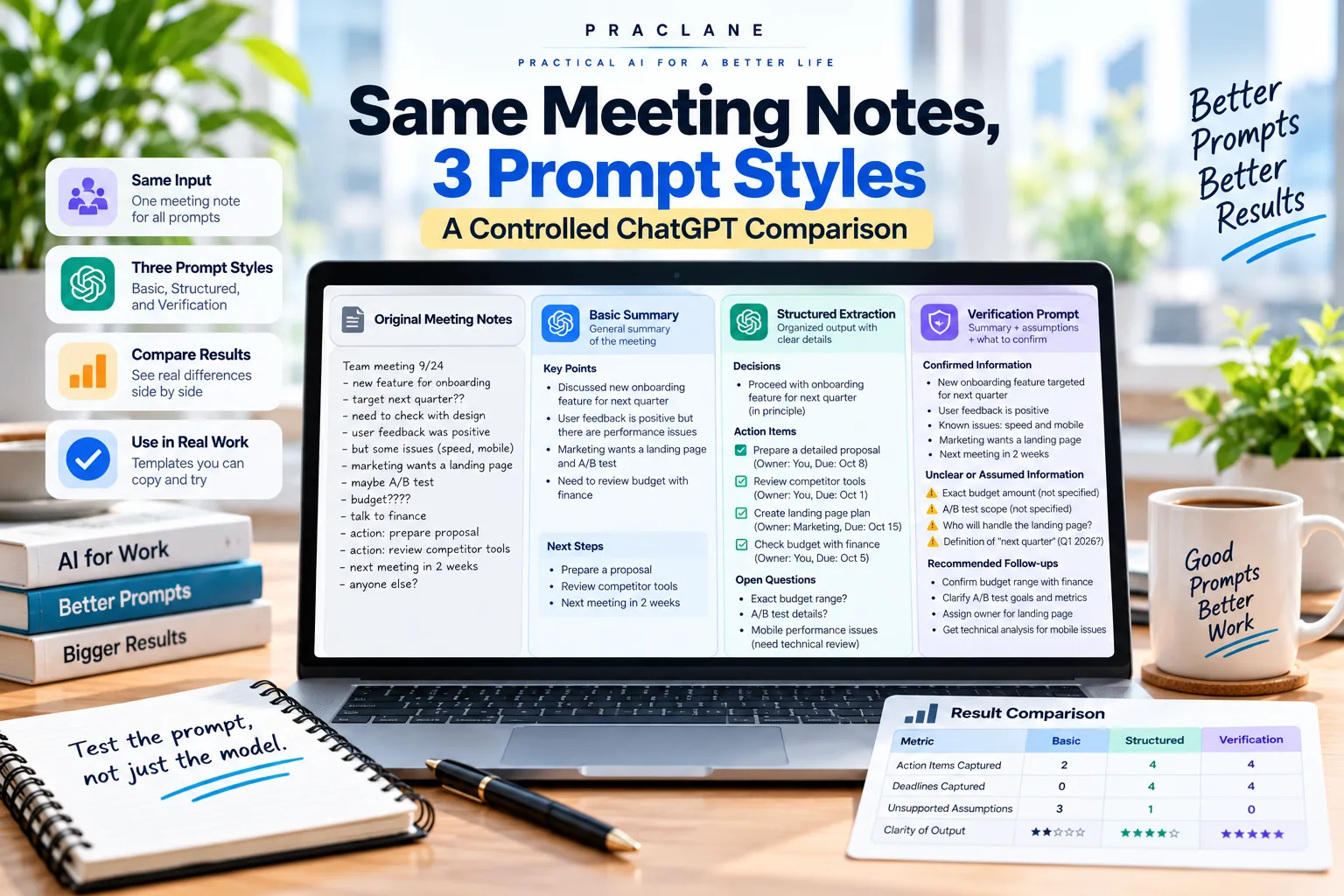
To show why prompt structure matters, this article uses the same synthetic meeting notes with three different prompt styles: a basic summary prompt, a structured extraction prompt, and a verification-focused prompt.
This is a controlled worked example, not a model benchmark. The goal is to make the differences visible and reproducible: same input, different instructions, different kinds of output.
The Meeting Notes Used in All Three Examples
Project Atlas meeting — September 24
The team agreed to keep the October 21 launch target unless the mobile login bug is still unresolved by October 10. Mina will prepare the revised launch checklist by September 29. Daniel will confirm the final pricing table with Finance by October 1. The onboarding page needs a shorter headline, but no final wording was approved. Priya suggested an A/B test for the onboarding page, although the test scope and success metric were not decided. Customer feedback on the new onboarding flow is positive overall, but several users reported slow loading on mobile. Engineering will investigate the mobile performance issue before the next review. Marketing will draft a landing-page plan by October 3. The team wants to review competitor onboarding pages, but no owner was assigned. The next review meeting is planned for October 5. The budget for the A/B test was discussed but not approved.
There are several different information types inside these notes: confirmed decisions, assigned tasks, explicit deadlines, unassigned work, suggestions, unresolved questions, and risks.
Prompt 1: The Basic Summary
Summarize these meeting notes and tell me the key next steps.
A typical summary-style output compresses the meeting into themes:
- Keep the October 21 launch target while monitoring the mobile login issue.
- Update launch materials and finalize pricing.
- Improve the onboarding page and investigate mobile performance.
- Prepare marketing materials and review competitors.
- Meet again in early October.
This is readable, but notice what gets weaker: exact owners, exact deadlines, the distinction between an approved decision and a suggestion, and the fact that competitor research has no owner.
Prompt 2: Structured Extraction
From these meeting notes, produce five sections: Decisions, Action Items, Risks, Open Questions, and Next Meeting. For every action item, include Owner, Deadline, and Status. If the notes do not state an owner or deadline, write “Not assigned” or “Not specified.” Do not infer missing information.
The structure changes the output immediately. Instead of compressing information, the prompt tells ChatGPT what must be preserved.
| Action | Owner | Deadline | Status |
|---|---|---|---|
| Prepare revised launch checklist | Mina | Sep 29 | Assigned |
| Confirm final pricing table with Finance | Daniel | Oct 1 | Assigned |
| Investigate mobile performance issue | Engineering | Before next review | Assigned |
| Draft landing-page plan | Marketing | Oct 3 | Assigned |
| Review competitor onboarding pages | Not assigned | Not specified | Needs assignment |
This version is much easier to turn into work because missing information stays visible instead of disappearing inside polished prose.
Prompt 3: Verification-Focused Extraction
Analyze these notes as a meeting follow-up assistant. Separate Confirmed Decisions, Assigned Actions, Unassigned Actions, Risks, and Unresolved Questions. For each statement, preserve the exact date or condition stated in the notes. Do not convert suggestions into decisions. Do not invent owners, deadlines, budgets, or metrics. End with a “Needs Human Confirmation” section containing anything ambiguous.
This prompt adds one more layer: it tells ChatGPT what kinds of mistakes to avoid.
Confirmed Decisions
- Maintain the October 21 launch target unless the mobile login bug remains unresolved by October 10.
- Next review meeting planned for October 5.
Unresolved or Not Yet Approved
- Final onboarding-page headline
- A/B test scope
- A/B test success metric
- A/B test budget
- Owner and deadline for competitor onboarding review
The important improvement is not length. It is epistemic clarity: the output distinguishes what the notes actually establish from what still needs a person to decide.
Side-by-Side Comparison
| Requirement | Basic Summary | Structured Extraction | Verification-Focused |
|---|---|---|---|
| Readable overview | Strong | Strong | Strong |
| Preserves owners | Inconsistent | Strong | Strong |
| Preserves deadlines | Inconsistent | Strong | Strong |
| Shows missing owner/deadline | Weak | Strong | Strong |
| Separates suggestion from decision | Weak | Moderate | Strong |
| Flags assumptions | Weak | Moderate | Strong |
| Best for quick reading | Yes | Yes | Sometimes more detailed |
| Best for follow-up work | No | Yes | Yes, especially when accuracy matters |
What Actually Changed?
The model did not receive better notes. It received better instructions about what information mattered.
- The basic prompt optimizes for compression.
- The structured prompt optimizes for usable fields.
- The verification prompt optimizes for preserving uncertainty and avoiding unsupported assumptions.
That is why “better prompting” is often less about clever wording and more about defining the output schema and the rules for missing information.
A Reusable Prompt for Real Meetings
You are reviewing meeting notes for follow-up work.
Create these sections:
1. Confirmed Decisions
2. Assigned Actions
3. Unassigned Actions
4. Risks / Blockers
5. Open Questions
6. Next Meeting / Milestones
7. Needs Human Confirmation
For every action, include Owner, Deadline, Dependency, and Source Detail if available.
Rules:
– Do not invent owners or deadlines.
– Do not turn proposals into decisions.
– Preserve exact dates and conditions.
– Mark missing information explicitly.
– If the notes conflict, show the conflict instead of choosing one version.
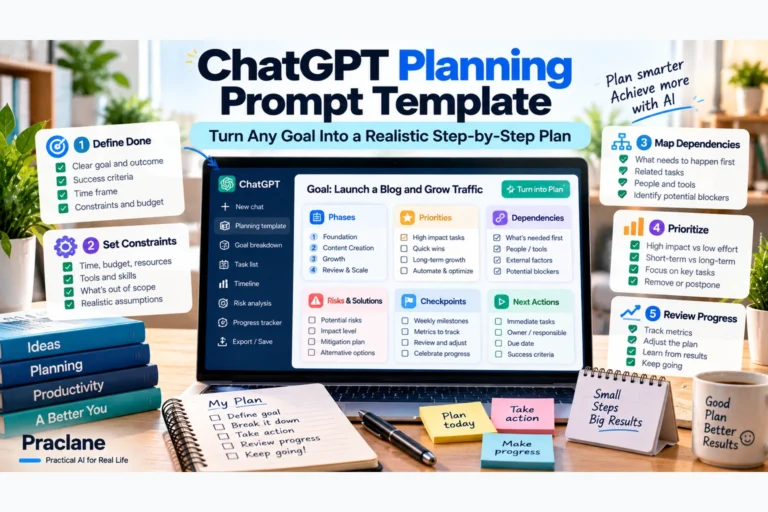
For a broader explanation of prompt structure, see our guide to writing better ChatGPT prompts. For the full meeting workflow, see ChatGPT for meetings.
When the Basic Prompt Is Still Fine
Not every meeting needs a seven-section audit. A basic summary is useful when you only want a quick memory refresh and the details do not drive real decisions.
- Informal brainstorming
- Low-stakes catch-ups
- Personal notes
- Meetings where no actions or commitments were made
Use the stronger prompt structure when the output will become a task list, status report, client follow-up, handoff, or decision record.
Common Failure Modes to Watch For
- Invented deadlines: turning “soon” into a specific date.
- Invented owners: assigning a task to the person who merely mentioned it.
- Proposal inflation: rewriting “we could test this” as “the team decided to test this.”
- Conditional decision loss: dropping the “unless X happens” part of a decision.
- Conflict smoothing: silently choosing one value when the notes contain two.
FAQ
What is the best ChatGPT prompt for meeting notes?
There is no single best prompt, but a reliable meeting-follow-up prompt should define the sections you need, require owners and deadlines, mark missing information, and tell ChatGPT not to infer decisions or commitments.
Should I ask ChatGPT to summarize or extract action items?
If you need follow-up work, ask for structured extraction rather than only a summary. A summary is optimized for readability, while action-item extraction preserves operational details.
Can ChatGPT invent owners or deadlines?
It can infer details that were not explicitly stated, especially if the prompt rewards completeness. Tell it to mark missing values instead of guessing and verify important items against the original notes.
Final Thoughts
The lesson from this controlled example is simple: if the output will drive real work, do not ask only for a summary.
Tell ChatGPT what must be preserved, how missing information should be handled, and which assumptions are not allowed. Better meeting outputs usually come from a better specification of the task—not from a longer meeting transcript.