ChatGPT Web Search vs Deep Research: What’s the Difference? 9 Real Scenarios
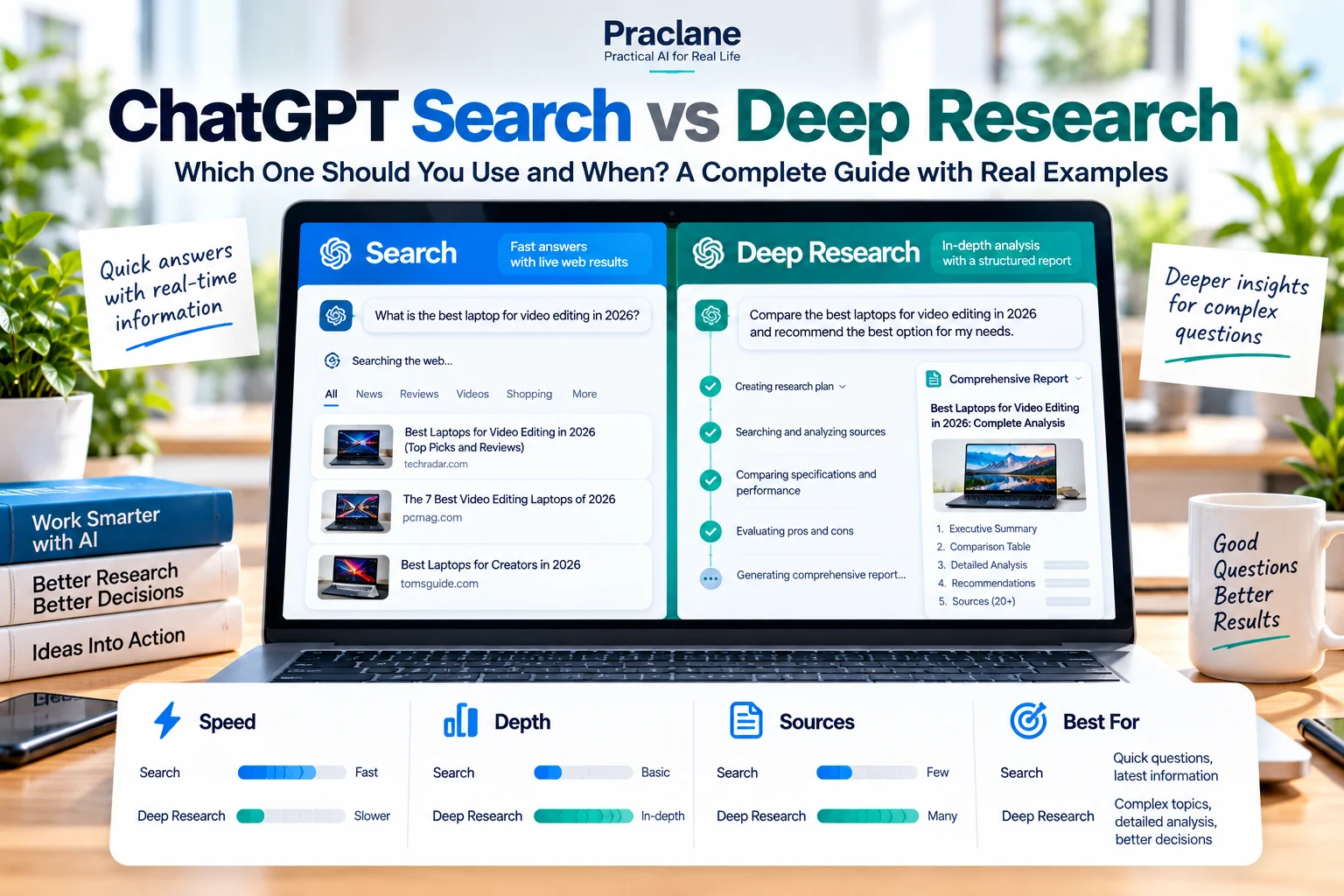
ChatGPT Search and Deep Research can both use the web, but they are built for different jobs. Search is designed for quick, current answers with source links. Deep Research is designed for multi-step questions that require a plan, many sources, and a documented report.
The mistake is treating them as two versions of the same button. In practice, the better choice depends on how much evidence you need, how many sources must be compared, and whether the task is a quick lookup or a research project.
This guide compares ChatGPT Search vs Deep Research through nine realistic scenarios and gives you a simple decision rule you can reuse.
What’s the Difference Between ChatGPT Web Search and Deep Research?
ChatGPT Web Search is the better starting point when you need a current answer quickly and a small number of strong sources can settle the question. Deep Research is better when the task has multiple sub-questions, requires systematic comparison across many sources, or needs a documented report you can review and reuse.
A useful rule is: Search retrieves and verifies; Deep Research investigates and synthesizes. If a quick search reveals conflicting evidence or too many moving parts, escalate the task to Deep Research.
The Short Version
| Use Search when… | Use Deep Research when… |
|---|---|
| You need a current fact quickly | You need a documented report |
| A few high-quality sources are enough | You need to compare many sources |
| You want a short answer with links | You need analysis, synthesis, and citations |
| The question is narrow | The question has several sub-questions |
| You can verify the answer in minutes | You need a repeatable research process |
OpenAI’s current ChatGPT Search documentation describes Search as a way to answer questions with current web information and source links. Its Deep Research documentation describes Deep Research as a workflow that creates a research plan, works across web sources, files, and supported apps, and produces a structured report with citations.
What Is ChatGPT Search?
Search is the fast web-retrieval option. ChatGPT may search automatically when a question benefits from current information, or you can explicitly choose Search from the tools menu.
It is a strong fit for questions such as:
- What changed in a product this week?
- What is the current price or plan?
- What does the official documentation say?
- What happened in today’s news?
- Which nearby option is open now?
Search can still do comparison and reasoning. The important difference is that it is optimized for a relatively direct answer rather than a long research process.
What Is Deep Research?
Deep Research is better when the question is not really one question. It can create a proposed research plan, use public web sources, uploaded files, and eligible connected apps, and let you refine the plan or source scope before the work is complete.
That makes it useful for tasks such as:
- Comparing several vendors across pricing, features, and risks
- Researching a market or industry
- Reviewing policy or regulatory differences across regions
- Combining web research with uploaded reports
- Creating a source-backed briefing for a decision
Deep Research is not automatically “better.” If the task is simple, the extra research process can be unnecessary.
9 Real Scenarios: Search or Deep Research?
1. Check a Current Product Price
Use Search. If you only need the current price, plan, release date, or availability of a product, a short current answer with source links is usually enough.
Search the web for the current U.S. pricing of [product]. Use the official pricing page as the primary source and tell me the date you checked it.
2. Compare Five Products for a Purchase Decision
Use Deep Research when the purchase depends on several criteria, multiple sources, or trade-offs that need to be documented.
Compare five options for a small remote team. Evaluate total cost, limitations, integrations, security controls, and support. Prefer official documentation for factual claims and use independent reviews only for usability observations. End with a comparison table and unresolved questions.
3. Verify a Claim You Saw Online
Start with Search. A narrow verification question usually benefits from finding the original source quickly. If the claim is disputed or depends on several datasets, then move to Deep Research.
Search for the original source of this claim: [claim]. Tell me what the primary source actually says, the date, and whether later updates changed the conclusion.
For a broader verification workflow, see our guide to checking ChatGPT answers.
4. Research a New Industry Before a Meeting
Use Deep Research. A useful industry briefing usually needs several sub-questions: market structure, major companies, trends, risks, terminology, and recent developments.
Create a briefing on [industry] for a manager entering the sector for the first time. Cover market structure, major players, recent changes, key metrics, common terminology, and five risks to understand. Cite every time-sensitive claim.
5. Find Today’s News on One Topic
Use Search. Search is designed for recent information and source-backed summaries. Ask for a time window so older background articles do not dominate the answer.
Search for developments from the last 24 hours on [topic]. Separate confirmed developments from analysis or opinion, and link to the strongest primary or first-hand sources available.
6. Compare Policies Across Several Countries
Use Deep Research. Multi-jurisdiction comparisons are easy to oversimplify. A better workflow is to define the same fields for each country and require primary or government sources where possible.
Compare the current rules for [topic] in these five countries. Use the same fields for every country: eligibility, application process, cost, timing, restrictions, and official source. Flag anything that cannot be verified from a primary source.
7. Answer a Question From One Official Help Page
Use Search. If one authoritative page can answer the question, Deep Research adds little value.
Use only the official documentation for [service] to answer this question: [question]. Quote no more than necessary and link to the exact page.
8. Build a Source-Backed Strategy Brief
Use Deep Research. A strategy brief requires more than gathering facts. It must synthesize evidence, compare alternatives, identify uncertainty, and explain what matters.
Research three strategies for [goal]. Compare expected benefits, cost, implementation difficulty, risks, evidence quality, and what would need to be true for each strategy to work. Separate sourced facts from your synthesis.
9. You Are Not Sure Which Tool to Use
Start with Search. If the answer exposes missing questions or conflicting evidence, escalate to Deep Research. This two-step approach avoids spending a deeper research task on something that turns out to be simple.
A Practical Decision Matrix
| Question | If Yes |
|---|---|
| Do I need current web information? | Use Search or Deep Research |
| Can 1–3 good sources answer it? | Start with Search |
| Do I need 5+ sources compared systematically? | Prefer Deep Research |
| Do I need a documented report? | Prefer Deep Research |
| Is this a quick lookup? | Prefer Search |
| Do I need to combine web sources with files or connected apps? | Deep Research is often the better fit |
| Is the answer high impact? | Use the mode that lets you verify the strongest evidence |
Search First, Deep Research Second: A Useful Workflow
- Use Search to map the problem. Find the latest official pages, terminology, and obvious constraints.
- Write down the real decision. What do you actually need to choose, understand, or explain?
- Move to Deep Research only if the problem is multi-source or multi-step.
- Review the proposed research plan. Remove irrelevant sub-questions and add missing ones.
- Check the final citations. A polished report is not a substitute for verifying important sources.
Common Mistakes
- Using Deep Research for a one-line fact. More research does not automatically make a simple fact more accurate.
- Using Search for a complex comparison. A short answer can hide inconsistent criteria across sources.
- Not defining the time window. “Latest” without a date range can mix current and outdated information.
- Not prioritizing source quality. Tell ChatGPT when official, academic, or first-hand sources should be preferred.
- Skipping citation review. Open the source that supports the claim you actually care about.
FAQ
Is Deep Research always more accurate than Search?
No. Deep Research is designed for depth and synthesis, not to make every simple answer automatically better. For a narrow question with one authoritative source, Search can be the more efficient choice.
Can Deep Research use my files?
Yes. OpenAI’s current documentation says Deep Research can work with uploaded files and eligible connected apps in addition to the public web, subject to plan, permissions, and workspace settings.
Can I choose which websites Deep Research uses?
Yes. Current Deep Research controls can let you restrict or prioritize specific sites, and you can review the proposed research plan before the research begins.
What is the difference between ChatGPT Web Search and Deep Research?
Web Search is optimized for fast, current answers with source links. Deep Research is designed for multi-step investigation, source comparison, research planning, and a structured cited report. Use Search when the question is narrow; use Deep Research when the research process itself adds value.
What if I only need a quick current answer?
Use Search. OpenAI explicitly positions Search for quick current information and Deep Research for deeper, multi-source work.
Final Thoughts
The useful distinction is not “simple tool versus powerful tool.” It is retrieval versus research process.
Use Search when you can define the answer narrowly and verify it quickly. Use Deep Research when the value comes from comparing many sources, controlling the research plan, and producing a documented synthesis.
If you frequently work with research sources, compare this decision with our ChatGPT vs Perplexity guide and our ChatGPT vs NotebookLM comparison.
For a reusable starting point before either mode begins, use our Universal ChatGPT Prompt Template to define source quality, verification, dates, uncertainty, and output rules. If the task is specifically research-heavy, use the ChatGPT Research Prompt Template for a stricter search, cross-checking, and citation workflow.