ChatGPT Writing Blocks: What They Are, How to Edit Them, and 10 Practical Uses
Writing with ChatGPT often used to mean a simple loop: ask for a draft, copy it somewhere else, edit it, paste part of it back, ask for another revision, and repeat.
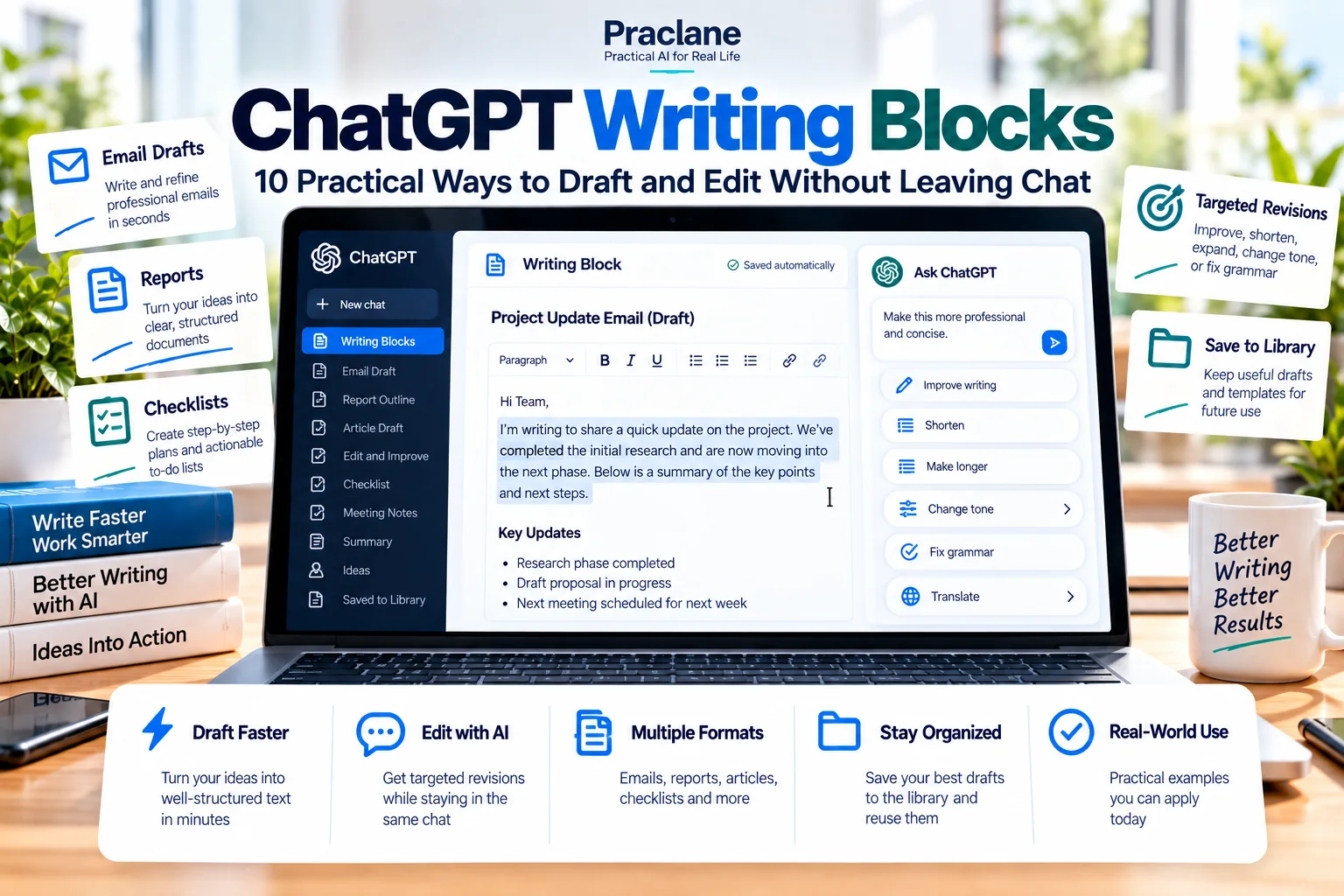
Writing blocks reduce that friction by giving you an editable draft area inside the conversation. You can change the text directly, ask ChatGPT to revise a selection or the whole draft, use formatting, and—where supported—send or save the result without leaving the workflow.
This guide focuses on practical uses for writing blocks, including a before-and-after editing example that shows why the feature is more useful than simply asking ChatGPT to “rewrite this.”
Quick Answer: What Is a ChatGPT Writing Block?
A ChatGPT Writing Block is an editable draft area inside a conversation. Instead of treating the AI response as fixed text, you can work on the draft directly, revise only a selected section, keep the rest unchanged, and use supported actions such as copying, saving, or sending when those controls are available.
If your search term is “editable writing block,” “writing block ChatGPT,” or “writing blocks skill,” you are looking for this same writing-focused editing experience. Availability and controls can vary by plan, device, workspace, model, and rollout.
What Are ChatGPT Writing Blocks?
OpenAI’s current writing blocks documentation describes them as editable areas for text such as emails, messages, social posts, and documents.
Depending on your plan, device, workspace settings, and rollout, a writing block may let you edit text directly, copy it, ask ChatGPT to revise selected text, open it in a larger editing view, undo or redo AI-assisted edits, send supported email drafts, or save supported documents to Library.
Writing Block vs Normal Chat Response
| Task | Normal Response | Writing Block |
|---|---|---|
| Read a draft | Easy | Easy |
| Edit text directly | Usually copy elsewhere | Designed for direct editing |
| Revise one paragraph | Needs copy/paste or careful instruction | Select and revise when supported |
| Undo AI edits | Conversation history only | Undo/redo may be available |
| Keep document formatting | Basic markdown-style output | Supports headings, links, lists, checklists, bold, and italic |
| Save or send | Usually manual | Supported actions may be available |
10 Practical Writing Block Workflows
1. Draft an Email, Then Edit the Risky Sentence Yourself
Create an editable email draft to a client explaining that the delivery date needs to move by three days. Keep the reason factual and avoid blaming the vendor.
Instead of asking for a full rewrite because one sentence feels too strong, edit that sentence directly in the writing block and keep the rest.
For reusable email structures, see our ChatGPT email prompts.
2. Turn Meeting Notes Into a One-Page Memo
Turn these meeting notes into an editable one-page memo with Decision, Action Items, Owners, Deadlines, Risks, and Next Meeting.
Because the draft stays editable, you can correct names, dates, or phrasing before asking for another AI pass.
3. Revise Only the Introduction of a Report
Create the report draft in a writing block. Afterward, shorten only the introduction to 120 words and keep the rest unchanged.
This is more controlled than repeatedly regenerating the entire report.
4. Build a Checklist You Can Edit While Working
Create an editable launch checklist with checkboxes for content, QA, analytics, legal review, publishing, and post-launch monitoring.
Writing blocks support checklist-style formatting, which makes them useful for small operational documents rather than only prose.
5. Turn Rough Notes Into a Reusable SOP
Turn these rough process notes into an editable SOP with Purpose, Scope, Steps, Exceptions, Quality Check, and Escalation sections. Keep uncertain details marked as “Confirm” instead of guessing.
6. Create Two Versions From One Draft
First create an editable internal announcement. Then make a second version for customers that removes internal process details but keeps the same core message.
Writing blocks are useful when one source draft needs multiple audience-specific versions.
7. Edit a Long Draft in Passes
Do not ask ChatGPT to “make this better” in one step. Use separate passes.
- First pass: fix structure.
- Second pass: shorten repetition.
- Third pass: improve tone.
- Fourth pass: check claims, numbers, and names.
This keeps each revision objective clear and makes it easier to notice when an edit changes meaning.
8. Save a Finished Draft to Library When Available
OpenAI says supported document drafts can be saved to Library when that action is available. That makes a writing block useful for drafts you may want to reuse in a later conversation.
9. Send a Supported Email Draft Without Re-copying It
Where supported email actions are available, a writing block may let you send the draft from ChatGPT or open it in an email app. Review recipients, facts, attachments, and commitments before sending.
10. Create a Document That Stays Human-Editable
Create an editable project brief. I want to manually change the numbers and deadlines myself, then ask you to polish the wording without changing those values.
This is one of the best uses of writing blocks: AI does not have to own every revision. You can make authoritative changes yourself and then ask ChatGPT to work around them.
Before-and-After Editing Lab
Consider this rough internal update:
Website launch is late because design changed a lot. We think Friday maybe works but engineering still has two bugs and analytics is not ready. Need everyone to move fast. Client wants update today.
A weak instruction would be: “Rewrite this professionally.” That may produce polished language, but it can also smooth over uncertainty.
A stronger writing-block workflow is:
- Ask for an editable update with separate Confirmed, Unconfirmed, and Action Needed sections.
- Manually correct the launch date if you know it.
- Select only the sentence that sounds too accusatory and ask ChatGPT to neutralize the tone.
- Ask for a final check that no uncertain date was presented as confirmed.
| Editing Approach | Main Risk | Control Level |
|---|---|---|
| Regenerate everything | Facts or nuance may change | Low |
| Revise by section | Smaller risk surface | Medium |
| Human edit + targeted AI revision | Requires more attention | High |
This is the core advantage: a writing block supports a mixed workflow where human judgment and AI editing can alternate without rebuilding the whole document each time.
A Better Prompt Formula for Writing Blocks
- Document type: email, memo, report, checklist, brief, social post
- Audience: manager, client, team, public
- Goal: inform, request, persuade, summarize, document
- Protected facts: names, dates, numbers, approved wording
- Editing boundary: whole draft, selected paragraph, tone only, structure only
Create this as an editable writing block. Audience: senior manager. Goal: explain a one-week delay and request approval for the revised plan. Keep the dates and budget exactly as provided. After the first draft, revise only the introduction for concision.
When a Writing Block Is Better Than Word or Google Docs
| Situation | Better Starting Point |
|---|---|
| You are still generating and revising with AI | Writing block |
| You need precise page layout, tracked changes, or complex formatting | Word or Google Docs |
| You need many rapid AI revisions | Writing block |
| You need formal collaborative review or document governance | Traditional document editor |
| You want to draft in ChatGPT and finish elsewhere | Writing block first, then export/copy |
For Microsoft Word-specific workflows, see our ChatGPT for Word guide.
Important Limits
- Not every block action appears for every user. Availability varies by plan, device, workspace, model, and rollout.
- Writing blocks are not full desktop publishing tools. Complex document layout may still require Word, Google Docs, or a design tool.
- AI edits can still change meaning. Protect names, dates, numbers, legal wording, and commitments.
- Temporary Chat is different. OpenAI notes that edits may not persist after a Temporary Chat ends.
- Sending and saving actions depend on availability. Do not assume every account can send an email or save a draft directly.
FAQ
What is a writing block in ChatGPT?
It is an editable area in a ChatGPT response designed for draft text such as emails, messages, social posts, and documents.
Can I edit a writing block myself?
Yes, when the writing block is available. OpenAI documents direct editing as one of the core writing-block actions.
What is the Writing Blocks skill in ChatGPT?
People may use “Writing Blocks skill” to refer to the writing-block editing experience in ChatGPT. The practical idea is the same: ChatGPT can place draft text in an editable block so you can make manual changes or request targeted AI revisions without regenerating the whole document.
Can ChatGPT revise only part of a writing block?
Supported writing blocks can allow selected text or the full draft to be revised. Available controls vary by account and interface.
Final Thoughts
The real benefit of writing blocks is control. Instead of treating every AI draft as disposable text, you can keep a working document in the conversation and revise only what actually needs to change.
Use ChatGPT to generate and refine. Use your own judgment to lock down facts, commitments, and final wording.