ChatGPT + GitHub: 12 Practical Workflows for Code Search, Repository Research, and Pull Request Monitoring
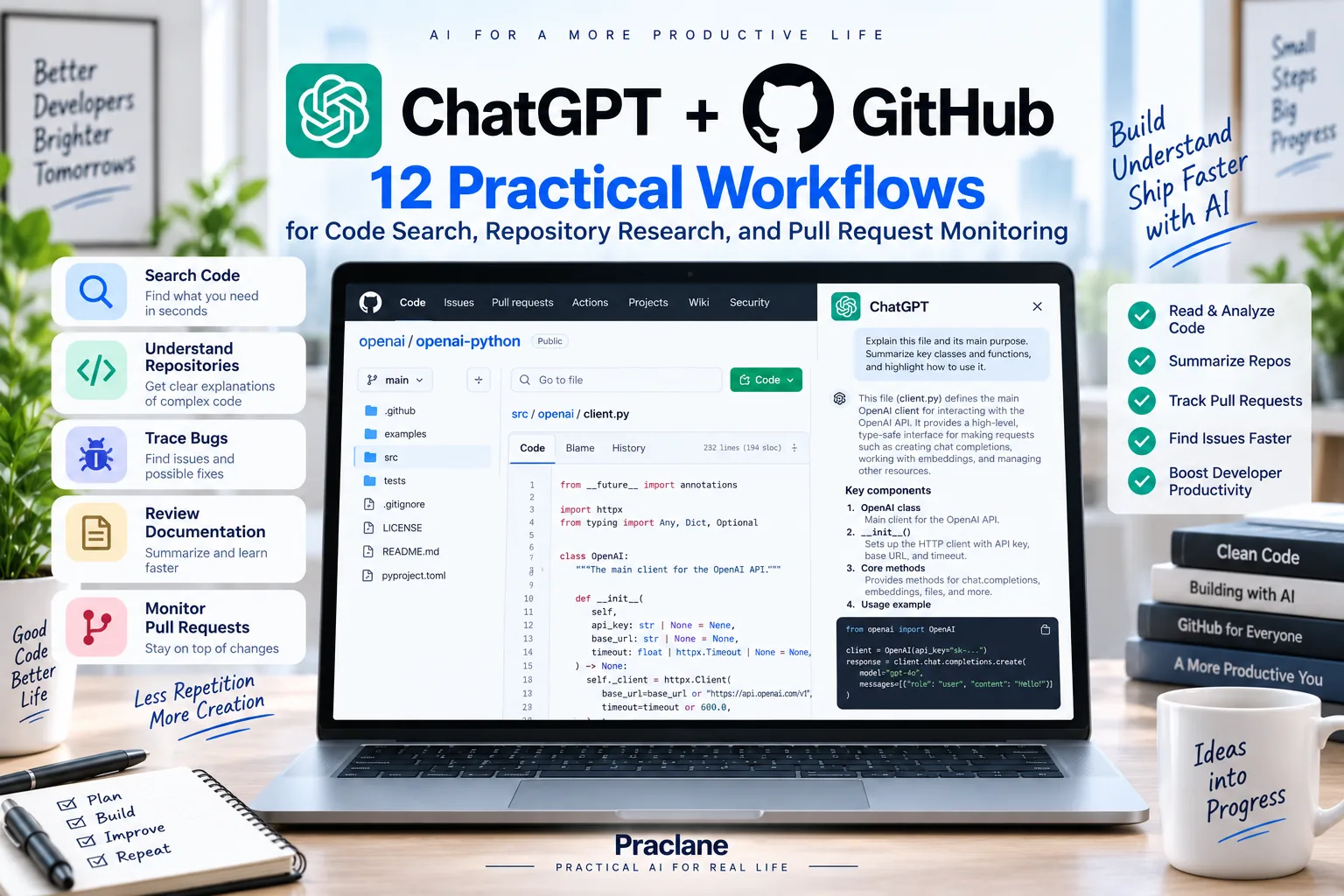
A large GitHub repository can be difficult to understand even when the code is well organized. You may know what the system does without knowing which file implements it, where a configuration comes from, or which documentation explains a behavior.
With ChatGPT + GitHub, supported users can connect authorized repositories so ChatGPT can retrieve code, README files, and other repository documentation on demand. The current ChatGPT GitHub app is designed for reading, analysis, search, and citation—not for pushing code changes directly back to GitHub.
This guide shows practical ways to use that read access for repository orientation, code search, debugging research, documentation review, and pull-request monitoring.
What the GitHub App in ChatGPT Can Do
OpenAI’s current GitHub documentation says ChatGPT can retrieve permitted repository content on demand, including code, README files, and other documentation. The connection does not create a synced GitHub index.
Availability can vary by plan and product surface. GitHub may be available in standard chat, Deep Research, or agent workflows depending on the account.
| Capability | Practical Use |
|---|---|
| Repository search | Find files, functions, classes, handlers, configuration, or documentation |
| Code explanation | Explain how an authorized implementation works |
| Repository research | Combine code and docs to understand architecture or behavior |
| Deep Research / agent use | Use GitHub as a source where the current account supports that surface |
| Work event triggers | Monitor supported pull request activity in authorized github.com repositories |
How to Connect GitHub to ChatGPT
- Open ChatGPT and go to Apps or Plugins.
- Select GitHub.
- Continue to GitHub and install or authorize the ChatGPT GitHub app.
- Select the repositories ChatGPT should be allowed to access.
- If the repository belongs to an organization, complete any organization approval required by GitHub.
- Return to ChatGPT and use the repository in a supported conversation, research, or agent workflow.
OpenAI notes that a newly authorized repository can take several minutes to appear. If a private repository is missing, confirm the GitHub app installation and repository selection before reconnecting.
12 Practical ChatGPT + GitHub Workflows
1. Understand an Unfamiliar Repository
Use the authorized repository to give me a high-level architecture map. Identify the main application entry points, major directories, important configuration files, data layer, API layer, background jobs, and tests. Cite the relevant file paths.
This is useful before making any assumption about how the repository is structured.
2. Find Where a Feature Is Implemented
Find where file uploads are handled in the backend of this repository. Show the relevant files and functions, then explain the request flow from entry point to storage. Cite the file path for each step.
3. Search by Error Message
Search this repository for the error message “Invalid session token.” Show where it is generated, which conditions trigger it, and the upstream functions that call that code.
Error strings are often one of the fastest ways to locate the relevant implementation.
4. Trace a Configuration Value
Find where the API timeout is configured in this repository. Trace the value from configuration or environment variables to the code that uses it. Show defaults, overrides, and relevant file paths.
5. Explain a Complex Function in Context
Explain the function processCheckout in context. Show what calls it, the main inputs, external services it depends on, important side effects, error paths, and the tests that cover it. Do not explain the function in isolation.
6. Find Tests for a Feature
Find tests related to password reset. Group them into unit, integration, and end-to-end tests if the repository structure supports that distinction. Show which important behaviors appear tested and which behaviors do not appear covered.
7. Compare the README With the Current Code
Compare the installation steps in the README with the current repository structure and configuration files. Flag any command, environment variable, path, or dependency that appears outdated or inconsistent. Cite the evidence.
This can help identify documentation drift without automatically changing the repository.
8. Investigate a Bug Before Editing Code
Investigate why users might receive duplicate notification emails. Search the repository for notification creation, queueing, retries, and deduplication logic. Give me the three most plausible code paths to inspect first and cite the relevant files. Do not propose a patch yet.
Separating investigation from code generation reduces the chance of patching the wrong layer.
9. Prepare a Refactor Plan From Repository Evidence
Find duplicated validation logic related to user registration. Summarize where it appears, what differs between implementations, and propose a refactor plan that preserves behavior. Cite every file involved and list tests that should be checked before any change.
10. Create a Repository Onboarding Guide
Create a concise onboarding guide for a developer joining this repository. Explain how to run the project locally, where the main application logic lives, how tests are organized, where configuration is stored, and which five files they should read first. Use the repository itself as the source.
11. Monitor Pull Request Activity With Work
OpenAI’s current GitHub documentation supports event-triggered Work tasks for eligible users on authorized github.com repositories. Supported activity can include pull requests being opened, marked ready for review, closed, reviewed, commented on, updated with commits, or merged depending on the trigger.
When a pull request in this repository is marked ready for review, summarize the affected area based on the available repository context, identify related documentation or tests worth checking, and create a short review-preparation brief for me.
Self-hosted GitHub Enterprise connections are not supported for these event-triggered tasks.
12. Use GitHub as a Source for Deep Research
Using this authorized repository as one source, research how authentication is implemented across the application. Build a report that maps login, session creation, authorization checks, token refresh, logout, and relevant tests. Cite file paths for repository claims and separate repository evidence from external sources.
A Better Prompt Formula for GitHub
If the same engineering work is tracked as issues, bugs, and product tasks, see our ChatGPT + Linear workflows.
- Repository: identify the correct repository
- Target: feature, function, file, error message, or behavior
- Task: find, trace, explain, compare, audit, or investigate
- Evidence: ask for file paths, symbols, and relevant tests
- Boundary: research only, propose a change, or move to Codex for implementation
In the authorized repository, trace how password reset works from HTTP request to email delivery. Cite every relevant file path and important function. Show validation, token creation, persistence, expiration, and tests. Do not generate or modify code.
Important GitHub Limits
- The ChatGPT GitHub app is read-only for repository code. OpenAI directs users to Codex for generating, editing, and pushing code directly to GitHub.
- No synced repository index is created. ChatGPT retrieves authorized content on demand.
- Availability varies by product surface. GitHub may appear in standard chat, Deep Research, or agent workflows depending on the account.
- Repository access is controlled in GitHub. Connecting the app does not grant access to repositories you did not authorize.
- Event-triggered pull request tasks currently target github.com repositories. Self-hosted GitHub Enterprise connections are not supported for those triggers.
If you use ChatGPT for longer technical work, the same verification principle applies as in our guide to checking ChatGPT answers: inspect the source file before relying on a high-impact conclusion.
FAQ
Can ChatGPT read my GitHub repository?
Yes, when GitHub is available for your account and the repository has been authorized. ChatGPT can retrieve permitted code, README files, and other repository documentation on demand.
Can ChatGPT push code to GitHub?
Not through the current ChatGPT GitHub app. OpenAI states that the app is for reading, analysis, and search. Use Codex for workflows that generate, edit, and push code directly.
Why is a repository missing after I connect GitHub?
Check that the ChatGPT GitHub app is installed for the correct account or organization and that the repository was selected and approved. OpenAI also notes that newly authorized repositories can take several minutes to appear.
Can ChatGPT monitor pull requests automatically?
Eligible Work users can create event-triggered tasks for supported pull request activity in authorized github.com repositories.
Final Thoughts
ChatGPT + GitHub is most useful before the edit. It can help you locate the right code, understand dependencies, trace behavior, check documentation, and narrow an investigation before you decide what should change.
Ask for file-path evidence, keep repository access narrow, separate investigation from implementation, and move to Codex only when you are ready to make and verify actual code changes.