How to Use ChatGPT for Meetings: 12 Practical Ways to Prepare, Take Notes, and Follow Up
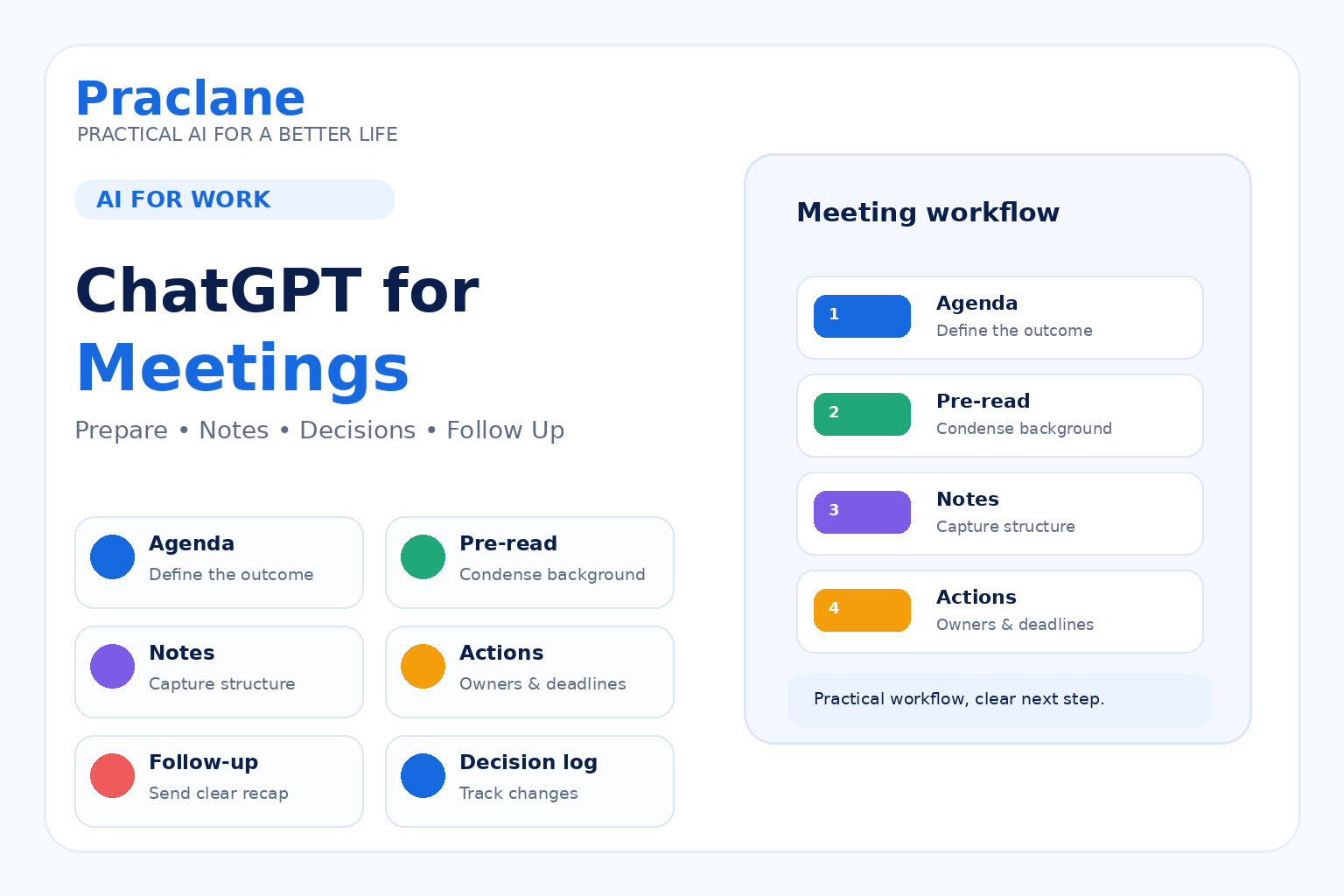
Meetings create work before, during, and after the actual conversation: preparation, agendas, notes, decisions, action items, follow-up emails, and status updates.
ChatGPT can reduce that overhead when you give it the right context and keep the final judgment with the people in the meeting.
This guide shows how to use ChatGPT for meetings with 12 practical workflows you can reuse at work.
For broader workplace examples, see our ChatGPT for work guide. For follow-up messages, see our ChatGPT email guide.
Before You Use AI With Meeting Content
Follow your organization’s rules for confidential information, recordings, transcripts, customer data, and personal information. If a transcript contains sensitive material, use only an approved AI tool and remove unnecessary identifying details where possible.
AI can organize meeting information, but it should not quietly invent decisions, owners, or deadlines.
1. Build a Focused Agenda
Create a 30-minute meeting agenda for [meeting purpose]. Attendees: [roles]. We need to decide [decisions]. Background: [context]. Keep updates short and reserve at least 10 minutes for decisions and next steps.
A good agenda should make the desired outcome visible before the meeting starts.
2. Turn Background Material Into a Pre-Read
Turn this material into a one-page pre-read. Include: purpose, key facts, open questions, decisions needed, and anything attendees should review before the meeting. Do not add facts that are not in the source: [material]
3. Prepare Questions Before the Meeting
Based on this project update, give me 8 questions to ask in the meeting. Prioritize unclear assumptions, risks, dependencies, missing owners, and decisions that are blocking progress: [update]
4. Create a Note-Taking Structure
Create a simple meeting-notes template with these sections: Context, Decisions, Action Items, Owner, Deadline, Risks, and Open Questions. Make it easy to fill in during a live meeting.
Using a consistent structure makes the post-meeting cleanup much easier.
5. Clean Up Rough Notes
Clean up these rough meeting notes. Preserve the facts and uncertainty. Organize them into Decisions, Action Items, Owners, Deadlines, Risks, and Open Questions. If an owner or deadline is missing, write Not specified instead of guessing: [notes]
6. Summarize a Transcript
Summarize this meeting transcript for someone who did not attend. Include the purpose, key discussion points, decisions, unresolved issues, action items, owners, and deadlines. Separate explicit decisions from suggestions or ideas: [transcript]
The distinction between “discussed” and “decided” matters. Ask ChatGPT to keep them separate.
7. Extract Action Items
Extract every action item from these notes. Create a table with Action, Owner, Deadline, Dependency, and Status. Do not assign an owner or deadline unless it was explicitly stated: [notes]
8. Create a Follow-Up Email
Turn these meeting notes into a concise follow-up email. Start with the decisions, then list action items with owners and deadlines, then unresolved questions. End by asking attendees to correct anything that is inaccurate: [notes]
For more email situations, use the prompts in our email workflow guide.
9. Create Different Summaries for Different Audiences
Create two summaries from these meeting notes. Version 1 is for the project team and should include operational detail. Version 2 is for an executive and should focus on decisions, business impact, risk, and what needs attention. Keep the facts identical: [notes]
10. Track Decisions Across Meetings
Compare these notes from the last four project meetings. Build a decision log with Decision, Date, Reason, Owner, Current Status, and whether a later meeting changed the decision. Flag contradictions instead of resolving them yourself: [notes]
11. Prepare the Next Meeting From the Last One
Use the last meeting notes to prepare the next agenda. Start with overdue action items, then unresolved questions, decisions still needed, new risks, and the next milestone. Keep routine status updates short: [previous notes]
12. Turn a Repeated Meeting Into a Workflow
I run this meeting every [week/month]: [meeting type]. Build a reusable workflow with Before, During, After, and Review stages. Include the inputs I should collect, the standard outputs, and what still requires human judgment.
If the meeting repeats on a schedule, our automation guide and Scheduled Tasks guide can help you standardize the surrounding work.
A Reusable Meeting Prompt
Help me process this meeting material: [notes/transcript]. Meeting purpose: [purpose]. Produce: 1) concise summary, 2) explicit decisions, 3) action items, 4) owners, 5) deadlines, 6) unresolved questions, and 7) risks. Do not infer missing owners, deadlines, or decisions. Clearly mark anything uncertain.
Common Meeting Mistakes
- Asking for a summary without specifying what matters.
- Letting AI turn suggestions into decisions.
- Allowing missing owners or deadlines to be guessed.
- Sharing confidential transcripts with an unapproved tool.
- Creating detailed notes that nobody can scan quickly.
- Failing to carry unresolved items into the next meeting.
Frequently Asked Questions
Can ChatGPT summarize meeting notes?
Yes. It can organize rough notes into summaries, decisions, action items, owners, deadlines, risks, and open questions. The final result should be checked against the original notes.
Can I paste a meeting transcript into ChatGPT?
You can when your organization’s policies and the participants’ privacy requirements allow it. For sensitive meetings, use only approved tools and remove unnecessary personal or confidential data.
Can ChatGPT automatically know what was decided?
It can identify language that appears to represent decisions, but you should verify important decisions against the meeting record. Ask it to separate explicit decisions from proposals, suggestions, and unresolved discussion.
If meeting outcomes feed into weekly updates or status reporting, our guide to recurring reports with ChatGPT shows how to make that workflow repeatable.
To see how prompt structure changes what gets captured from the same notes, compare our three ChatGPT meeting-note prompt styles side by side.
Final Thoughts
The most valuable use of ChatGPT around meetings is not creating longer notes. It is turning messy conversation into a small set of clear outcomes.
Use AI to organize the meeting trail; keep decisions, accountability, and sensitive judgment human.